
How can we help you?
Section 14 : Website Management
Tchoum Growth
Section 14 : Website Management
I.Drag and drop website builder
Use the drag-and-drop website builder:
① Go to Sites > Website > New Website.
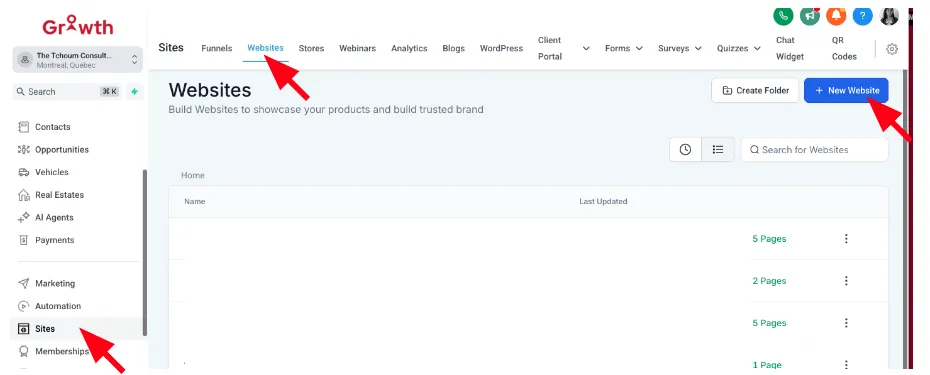
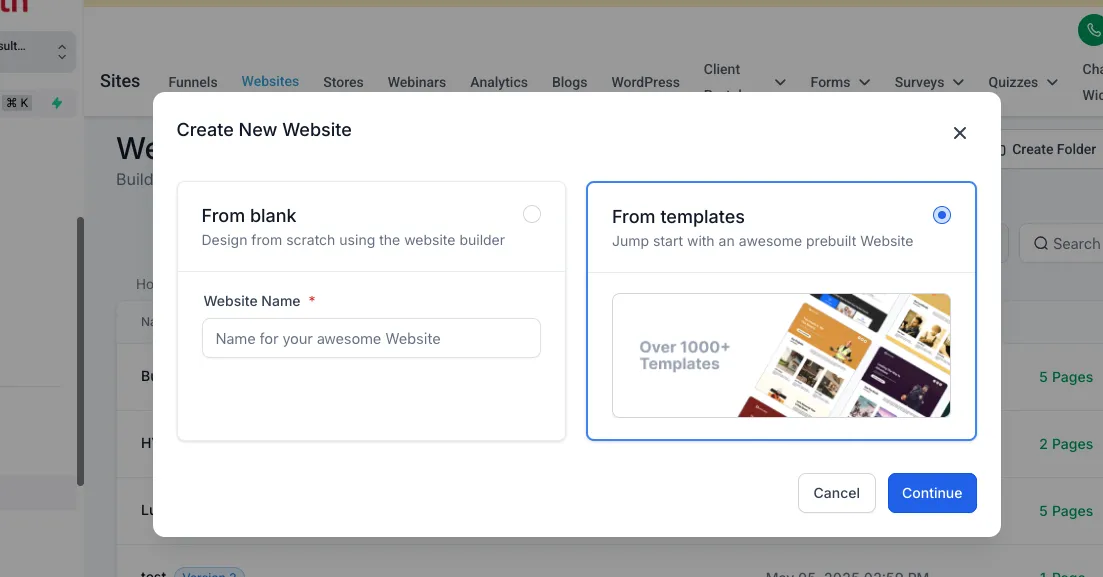
② Choose a template or from blank.
③ Drag and drop elements like text, images, buttons, and forms onto your page.
II. Embedding forms and widgets into your site
To add a form or widget to your site:
① Create the form in Forms.
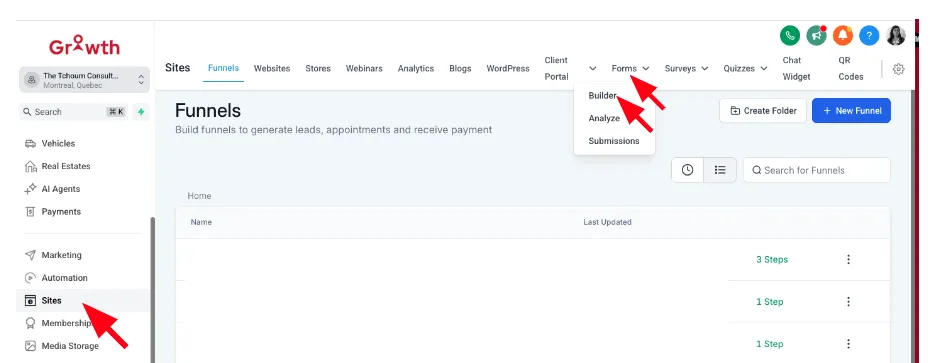
② Copy the provided embed code.
③ Paste the code into the desired location on your website.