
How can we help you?
Section 17 : Advanced Features
Tchoum Growth
Section 17 : Advanced Features
I. Setting up push notifications
To enable push notifications:
① Go to Notifications .

② Then click on "Notifications settings".
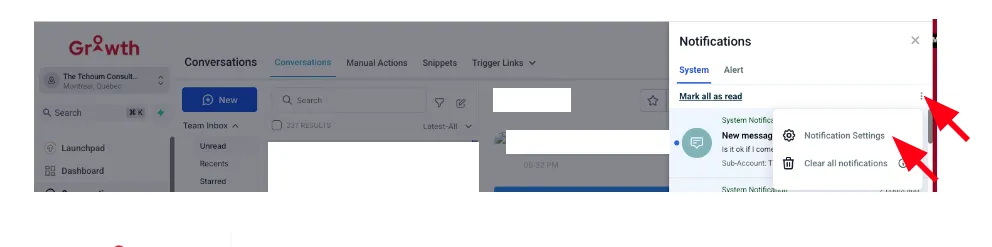
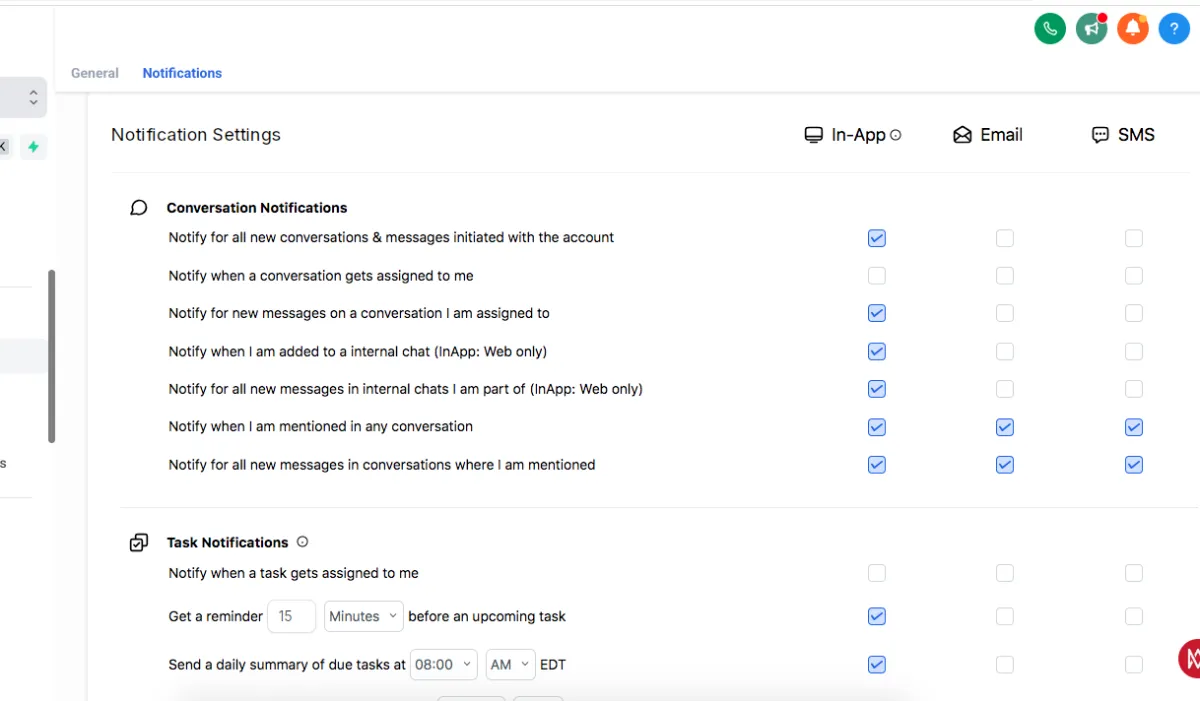
③ Enable push notifications for new messages, leads, and updates.
④ Choose which types of notifications you want to receive.
II. Tracking revenue
① Use Pipelines to Track Revenue by Stage
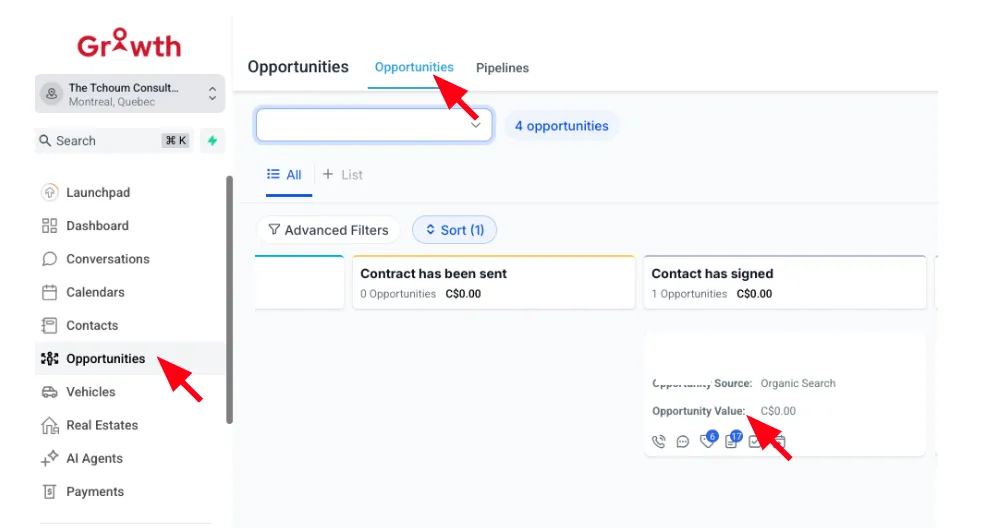
Step 1: Go to Opportunities > Opportunities
• Each Opportunity can be tied to a monetary value.
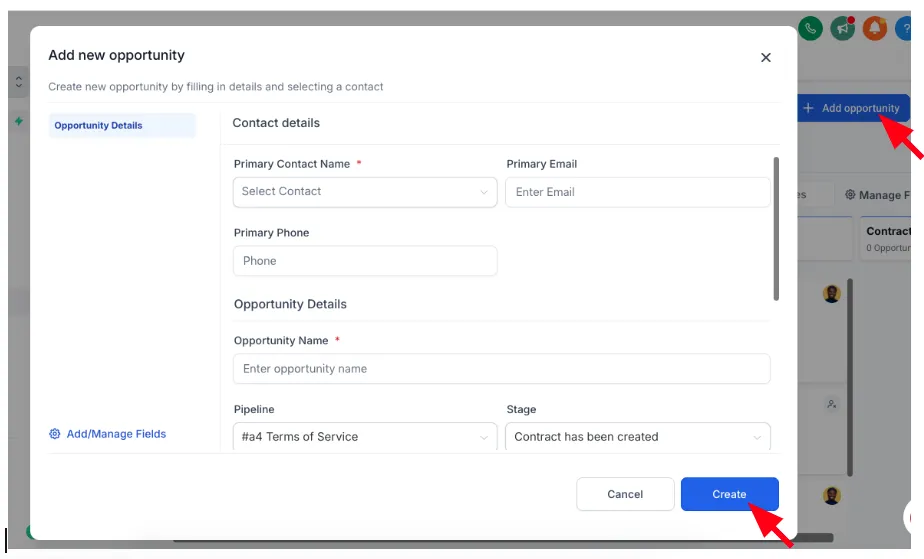
Step 2: Add or Edit an Opportunity
• Click on an existing opportunity card or create a new one.
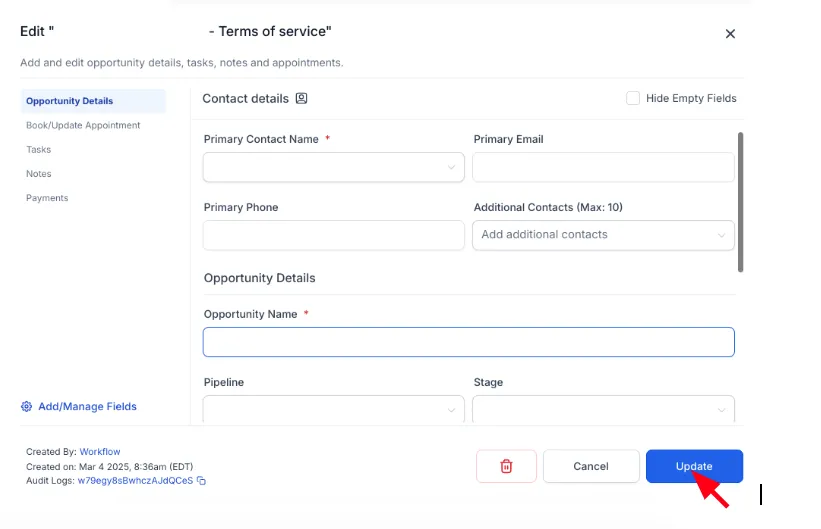
• Fill in:
Opportunity Name
• Pipeline & Stage
• Value ($) – This is the potential revenue from this lead/client.
• Status – Open / Won / Lost
• Assigned User – Sales rep or account manager
② See Revenue by Stage or Status
You can view:
• Total Revenue in Pipeline
• Revenue in "Closed - Won" stage (actual revenue)
• Forecasted Revenue (open deals)
Where:
• Go to Opportunities and select your pipeline
• At the top, you’ll see revenue metrics like:
• Pipeline Value
Conversion Rate
• Total Won