
How can we help you?
Section 18: Setup And Connections
Tchoum Growth
Section 18: Setup And Connections
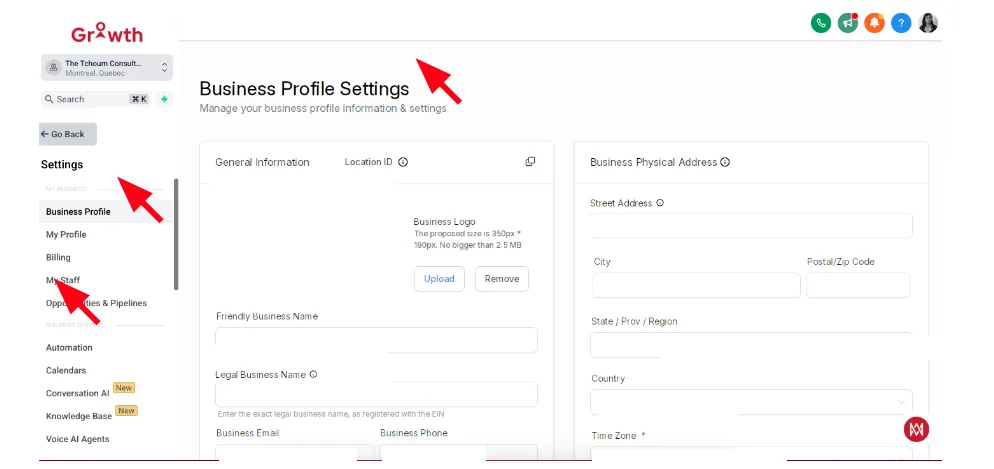
I. Add Company Information in Settings
① Go to Settings > Business Profile.
② Add company name, logo, address, and contact information.
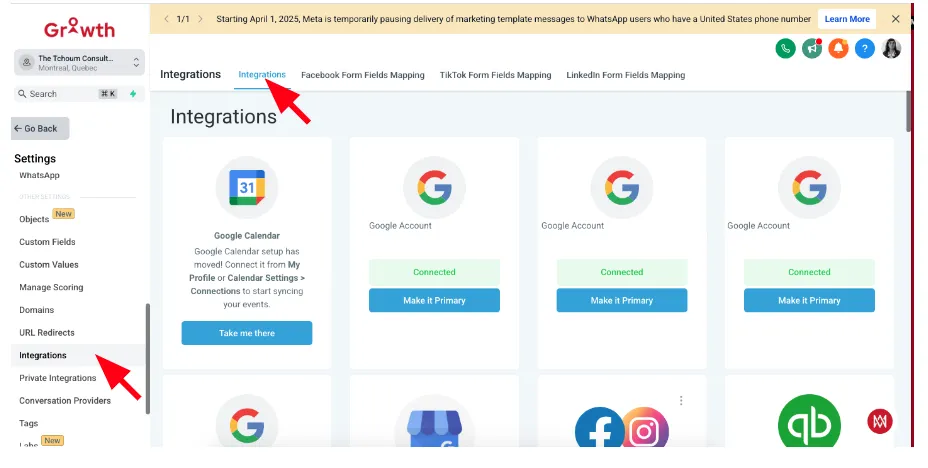
II. Connect Apps like Facebook, Stripe, Gmail, WhatsApp
① Navigate to Settings > Integrations.
② Connect your apps with a few clicks and authentication.
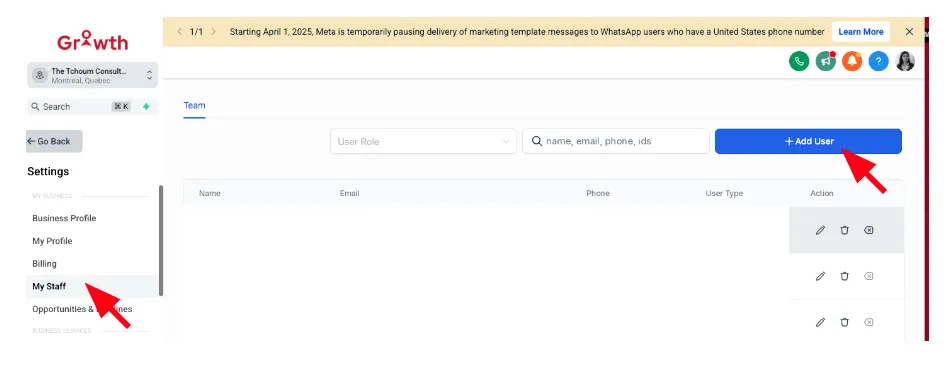
III. Add Users and Set Permissions
① Go to Settings > My Staff.
② Add new users, assign roles like Admin, Sales, or Support.
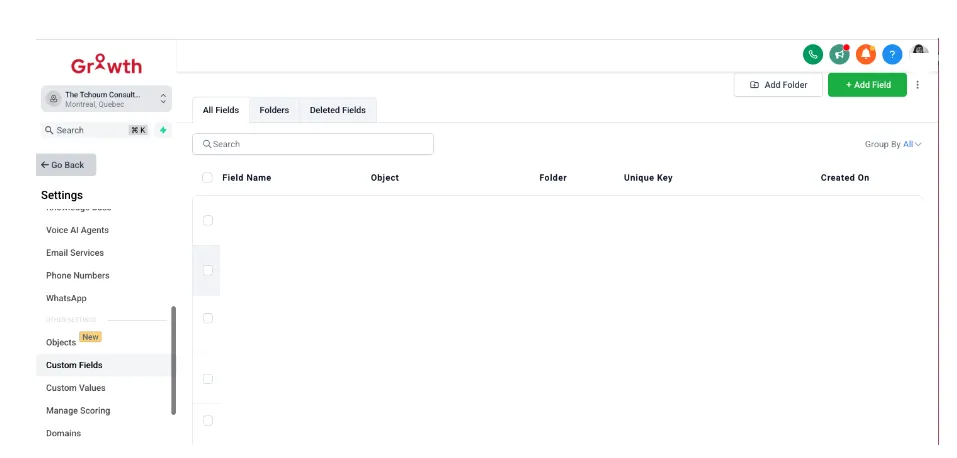
IV. Add New Fields to Contact Profiles
① Go to Settings > Custom Fields.
② Add fields like Industry, Website, Preferences, etc.
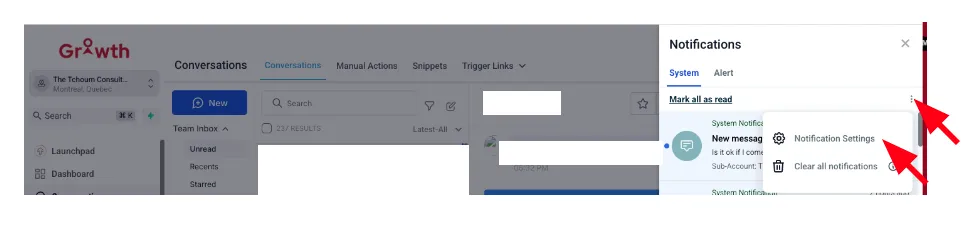
V. Activate Push Notifications
① Go to Notifications > Notifications Settings.
② Enable push notifications for new conversations, tasks, and appointments.
VI. Accept Payments Directly from the Phone
① Download the app on your phone : https://play.google.com/store/apps/details?id=com.LeadConnector&hl=en_CA
② Use the mobile app
③ Create a payment link and send it via SMS or email.
VII. Manage Conversations, Contacts, Tasks, and Appointments
① Use the unified "Dashboard".
② Quickly switch between tabs for messages, contacts, tasks, and meetings.
