How can we help you?
Section 2 : Account Settings
Tchoum Growth
Section 2 : Account Settings
I. Custom domains
To set up your custom domain:
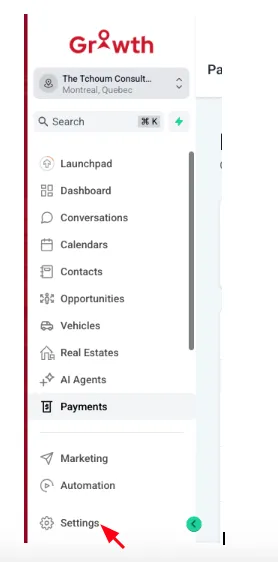
① Go to Settings > Domains.
② Click on "Add Domain".
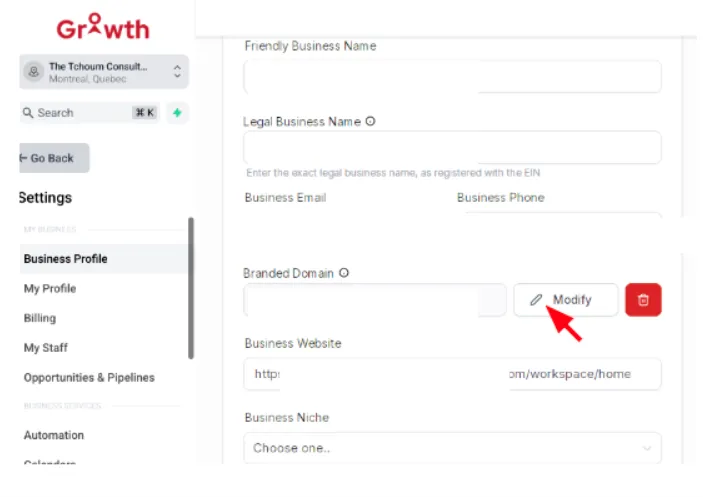
③ Follow the instructions to verify and connect your domain.
II. Email/SMS configuration
To configure email and SMS:
① Navigate to Settings > My Profile.
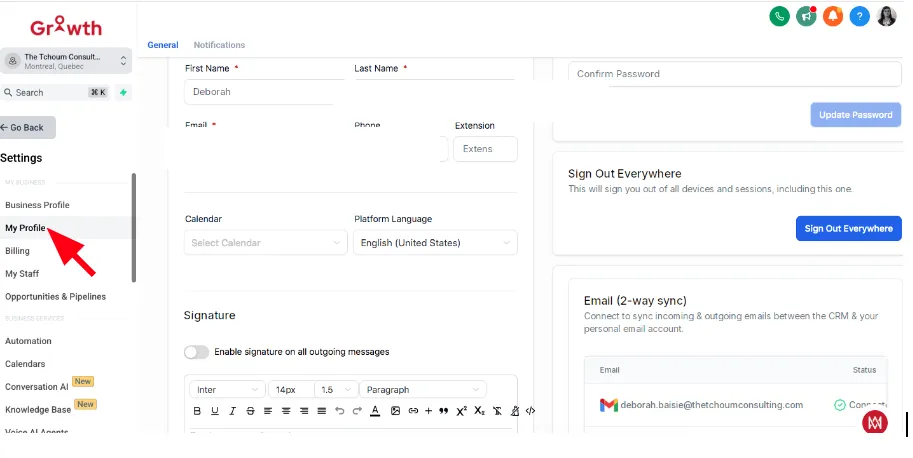
② Add your STMP server details for email and your SMS provider's API key.
③ Follow the instructions to verify and connect your domain.
III. User roles and permissions
Manage who can access what in your account:
① Go to Settings > Users
② Click on "Add User" and assign them a role.
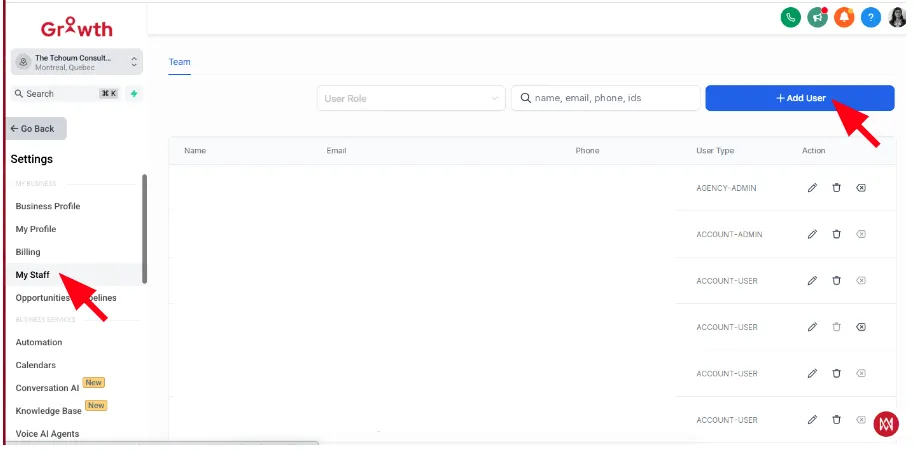
③ Set permissions for each user, whether they can access contacts, workflows, or billing information.
IV. Billing & subscriptions
View and manage your subscription:
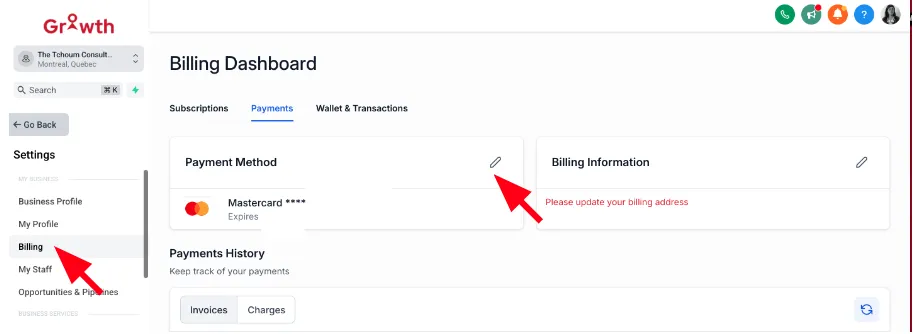
① Go to Settings > Billing.
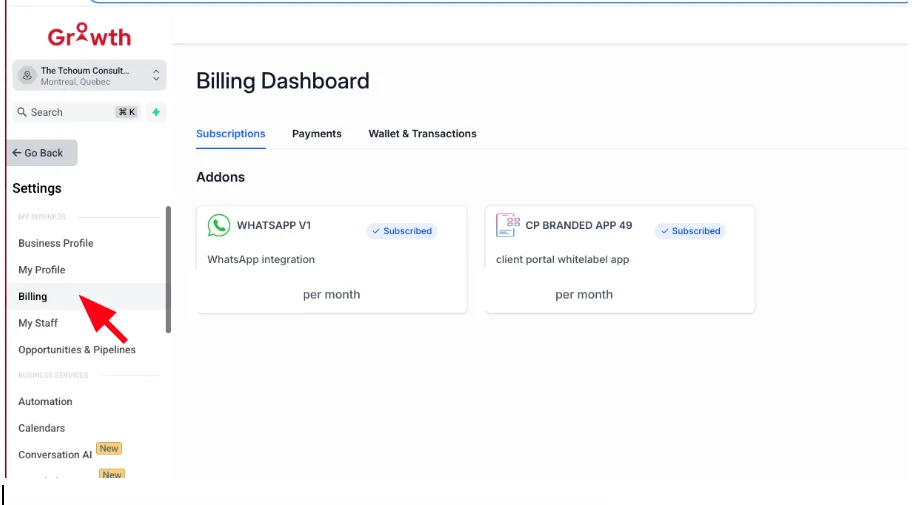
② You can view your current plan, billing history, and invoices.
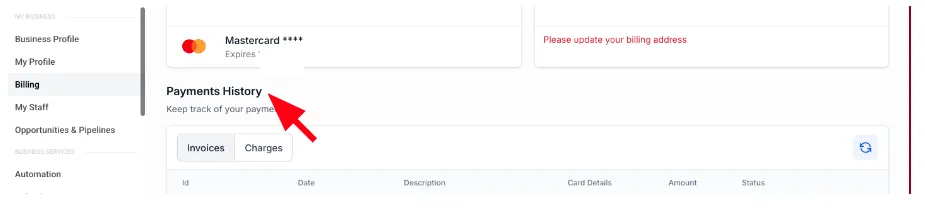
③ To upgrade or change plans, click on "Payments Method" and follow the instructions.