
How can we help you?
Section 3 : CRM Management
Tchoum Growth
Section 3 : CRM Management
I. Creating and managing contacts
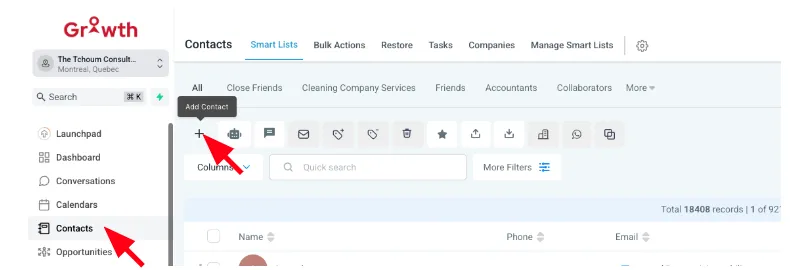
To add a contact:
① Go to Contacts > Add Contact.
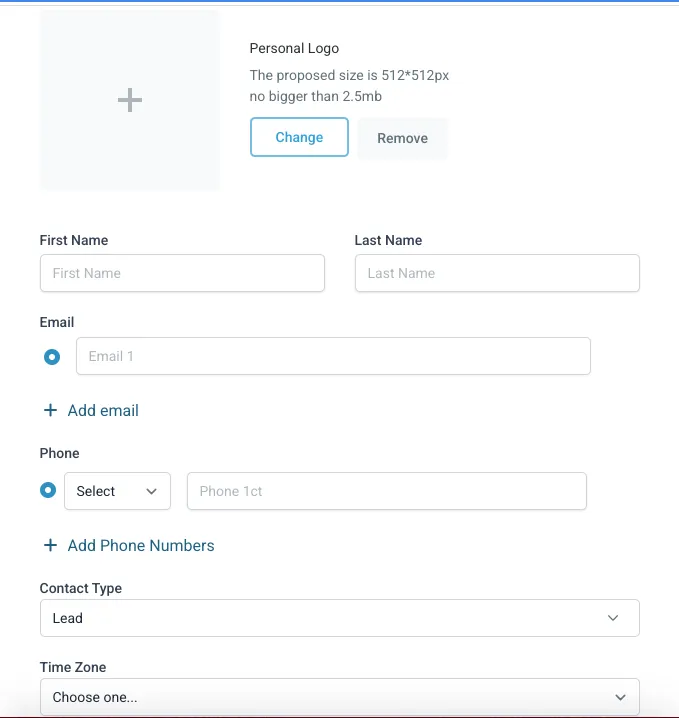
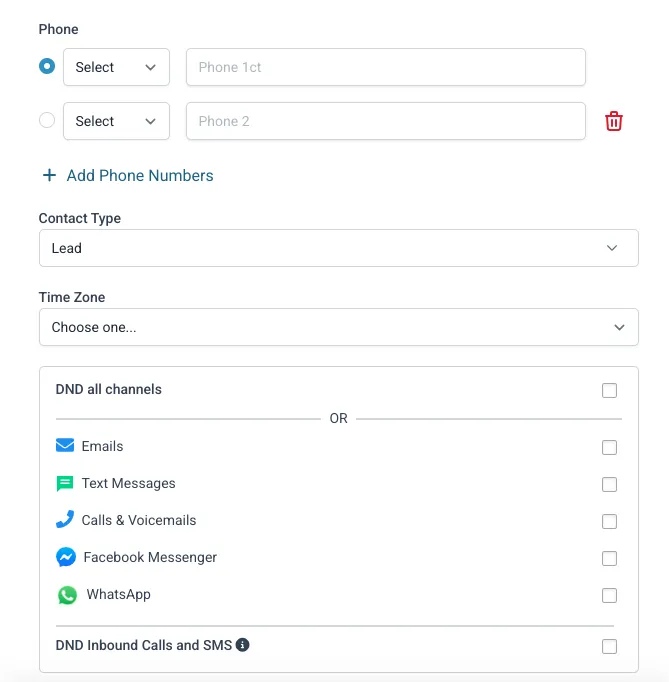
② Enter the contact's details (name, email, phone number).
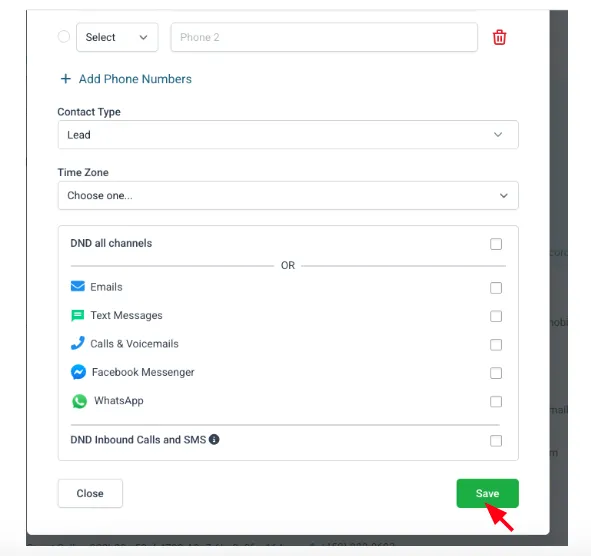
Click "Save".
II. Smart lists and filters
Create smart lists to segment your contacts:
① Go to Contacts > Smart Lists.
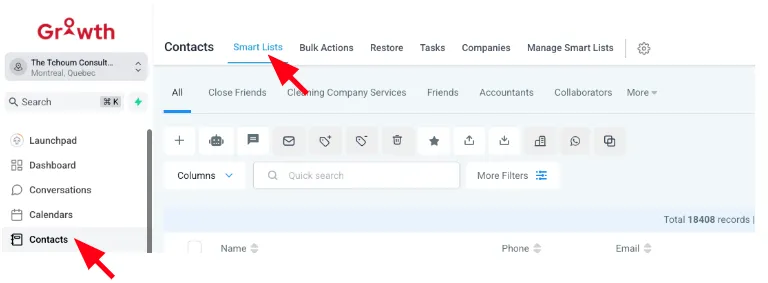
② Click on "Create List" and choose the filter criteria (e.g., location, activity, tag).
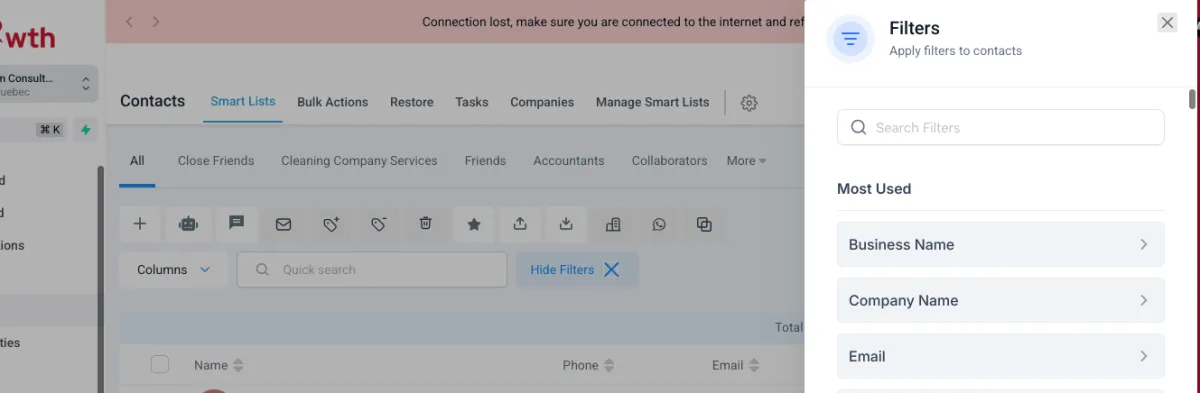
③ Save your list for future use.
III. Tags and segmentation
Tags help categorize and segment contacts for better targeting:
① Go to Contacts.
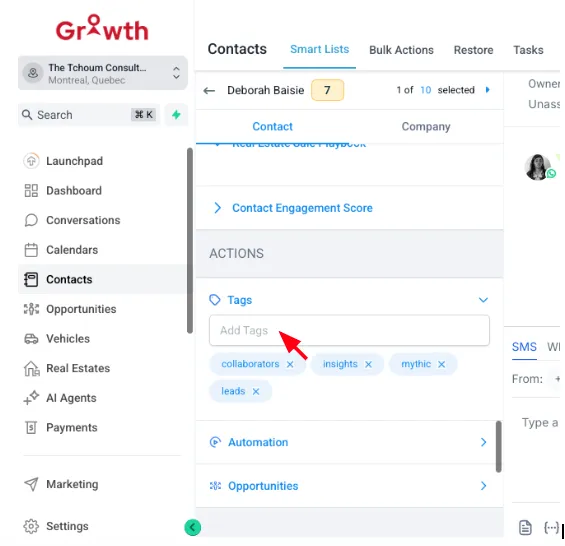
② Click on a contact to edit their details.
③ Add tags to the contact (e.g., "VIP", "Prospect").
IV. Pipelines & Opportunities
To create and manage sales opportunities:
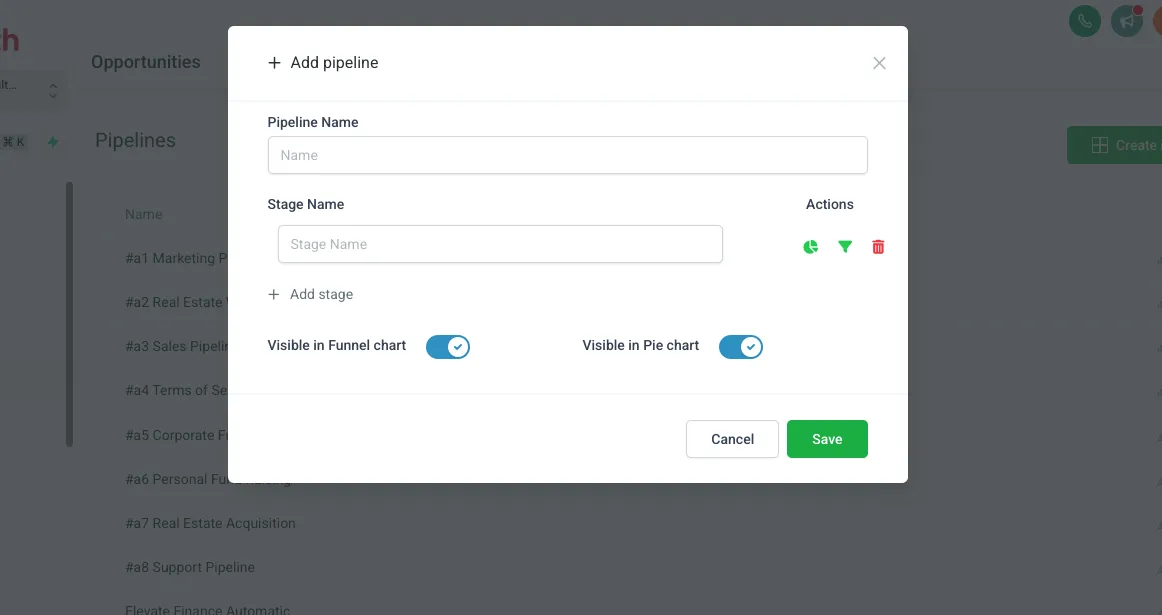
① Go to Pipelines > Create Pipeline.
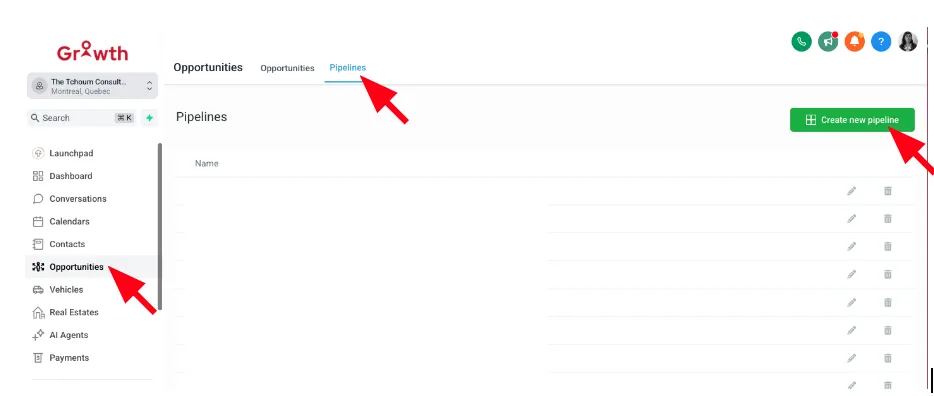
② Add stages (e.g., "Lead", "In Progress", "Closed") and save.
③ Drag and drop opportunities to track their progress.