
How can we help you?
Section 5: Calls and Communication
Tchoum Growth
Section 5: Calls and Communication
** I. Make Calls with Growth ** **
Go to the "Contacts" section.
Click on a contact.
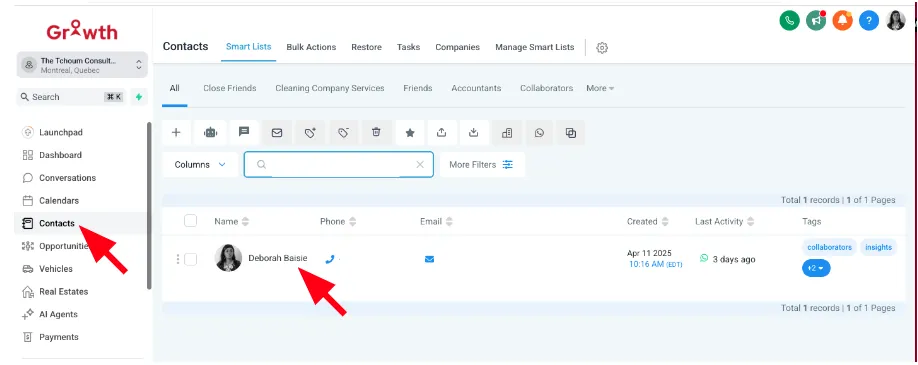
Press the "Phone" icon to initiate a call.
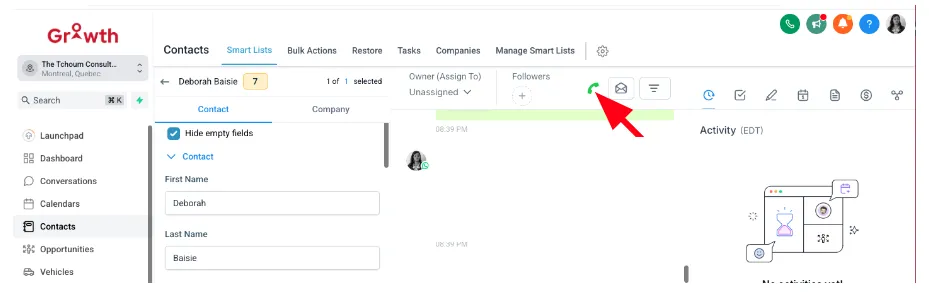
Ensure your phone integration is properly set up in Settings > Phone System.
Second Option
Click on the « Contacts » tab ****

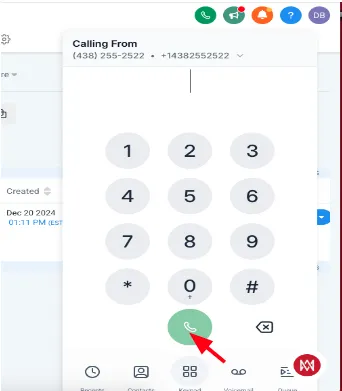
* Then click on the «Call» button.
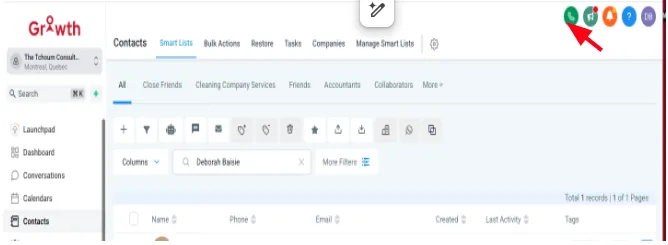
* Enter the phone number you wish to call. Click on the «Call» button. The call will be connected, and you will be able to speak to the person on the other end.
II. Assign Conversations to Team Members
In "Conversations," open a chat.
Click on "Internal Comment" and select a team member from the list.
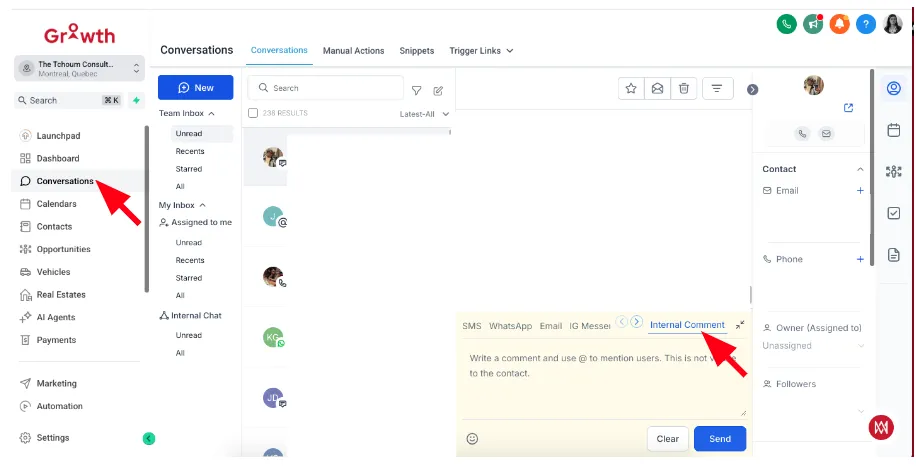
You can also automate assignment using workflows.